
On April 29, 2020 Microsoft announced that Azure Backup can now manage snapshots for Azure Files.

This is great news because it simplifies Azure Files protection with Recovery Services Vaults. Backups are important, so they should be easy to manage. Prior to this GA release, Azure Backup could only create 1 daily snapshot of Azure Files via backup policy settings.

Associate vault with file shares
However you manage Azure Files backup schedules, you need a Recovery Services Vault which must be present in the same region as the storage accounts hosting file shares. Vaults are configured for geo-redundant storage (GRS) by default, but can be changed to LRS to reduce costs.
Configure Backup for Azure FileShare, selecting your storage accounts and shares.
Automate backups with a runbook
To achieve weekly/monthly/yearly and other backup intervals, an Automation account and PowerShell runbook can automate Recovery Service Vault protection of Azure Files. This sample solution uses AzureRM PowerShell modules and is what I have been using with Runbooks prior to this GA announcement.
Open your Automation Account and create a PowerShell runbook under Process Automation.

Copy the contents of the example runbook, paste into the editor and Publish.
Quick note: AzureRunAsCertificates need to be renewed yearly, so set a reminder in your service management tools to avoid backup interuptions.
Schedule a runbook
Multiple schedules will be needed for weekly/monthly/yearly/other recovery points. To fit your recovery point requirements, add schedules for 2nd daily/weekly/monthly/quaterly/end-of-fiscal-year to the Shared Resources Schedules of the Automation account.

Link the schedules to the runbook for periodic runs. Now backup snapshots are created on the schedule you defined.

Monitor logs
You can use Logic Apps, Log Analytics and Resource Group Monitoring Diagnostic settings to generate some simple backup notifications.

I use a daily and a weekly Logic App to generate reports.
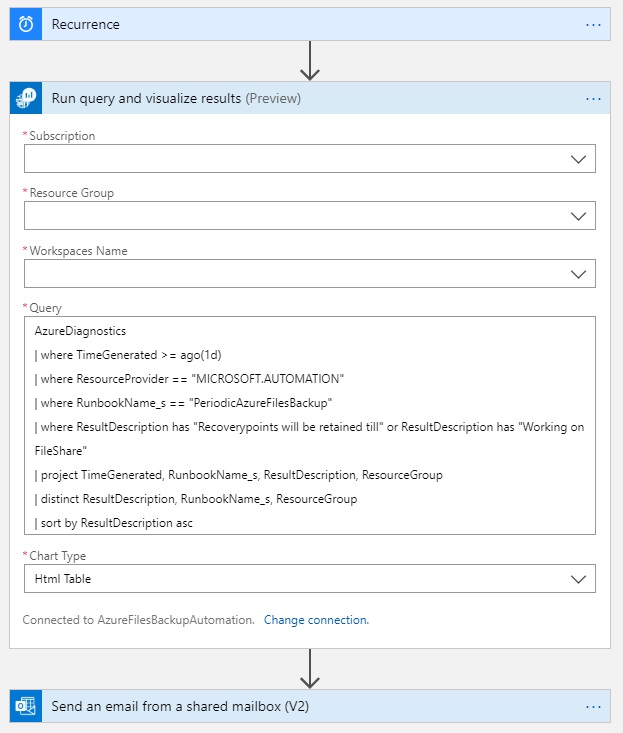
AzureDiagnostics
    | where TimeGenerated >= ago(1d)
    | where ResourceProvider == "MICROSOFT.AUTOMATION"
    | where RunbookName_s == "PeriodicAzureFilesBackup"
    | where ResultDescription has "Recoverypoints will be retained till" or ResultDescription has "Working on FileShare"
    | project TimeGenerated, RunbookName_s, ResultDescription, ResourceGroup
    | distinct ResultDescription, RunbookName_s, ResourceGroup
    | sort by ResultDescription asc
Two weekly queries generate more verbose output.

AzureDiagnostics
    | where TimeGenerated >= ago(7d)
    | where ResourceProvider == "MICROSOFT.AUTOMATION"
    | where RunbookName_s == "PeriodicAzureFilesBackup"
    | where ResultDescription has "Recoverypoints will be retained till"
    | project TimeGenerated, RunbookName_s, ResultDescription, ResourceGroup
    | sort by TimeGenerated desc
AzureDiagnostics
    | where TimeGenerated >= ago(7d)
    | where ResourceProvider == "MICROSOFT.AUTOMATION"
    | where RunbookName_s == "PeriodicAzureFilesBackup"
    | where ResultDescription has "Working on FileShare"
    | distinct ResultDescription
    | sort by ResultDescription asc
Azure Files Share Snapshot Management GA
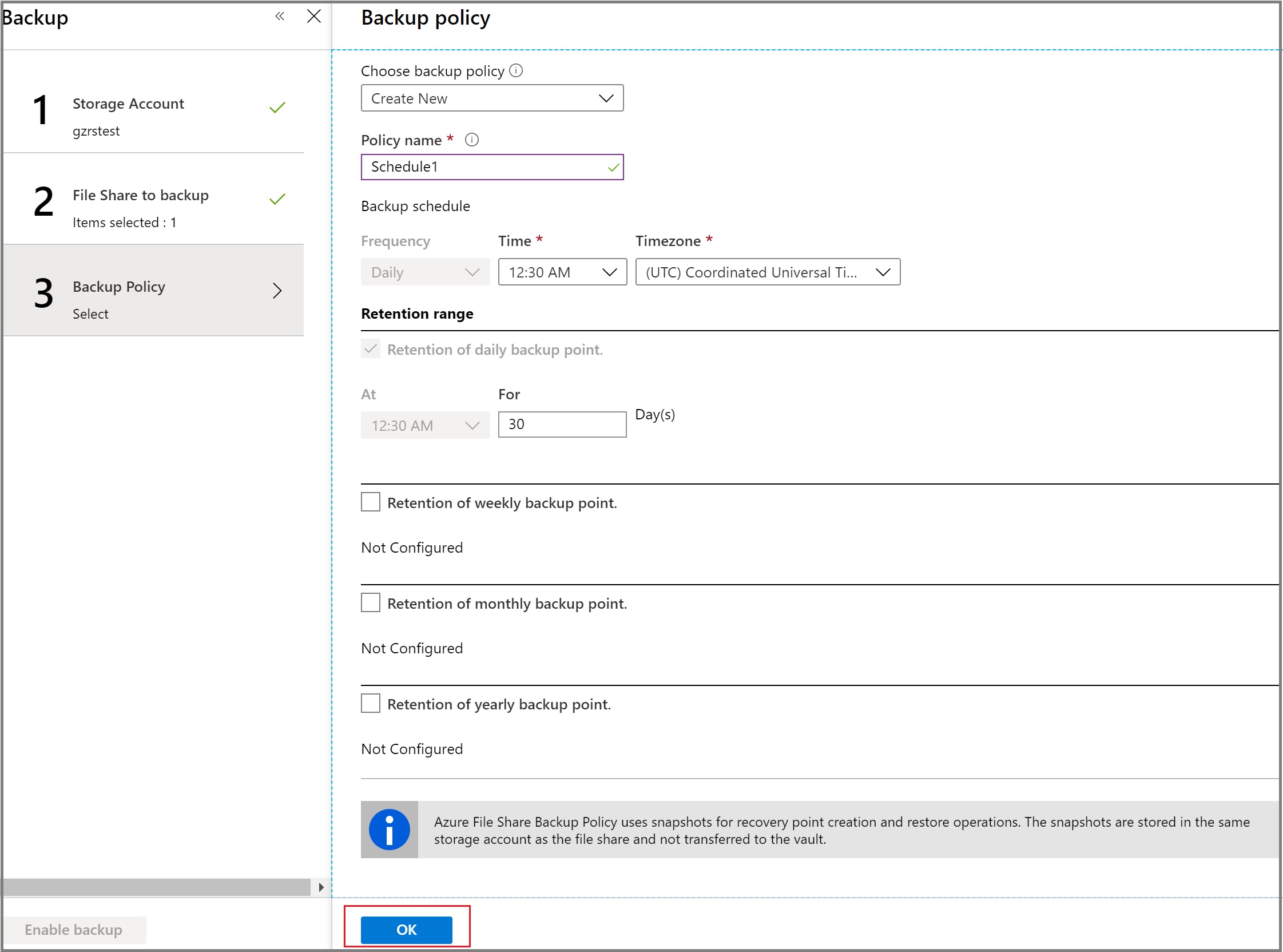
Azure Automation and Runbooks give you total control of the process and flexibility with managing schedules. That said, Azure Backup policy including additional common retention ranges is very user friendly, enabling admins and managers to confidently protect their files.
 jcengelking.dev